Wireless CarPlay & Android Auto for BMW 3/4/5/6/7 Series, X1, X3, X4, X5, X6
Wireless CarPlay & Android Auto for BMW 3/4/5/6/7 Series, X1, X3, X4, X5, X6 (2012-2016) with NBT System, CarPlay Retrofit Kit Decoder, Support Mirrorlink Navigation, Watch Video(Black)
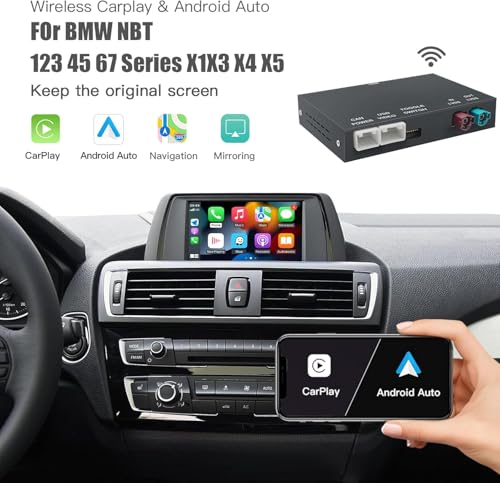
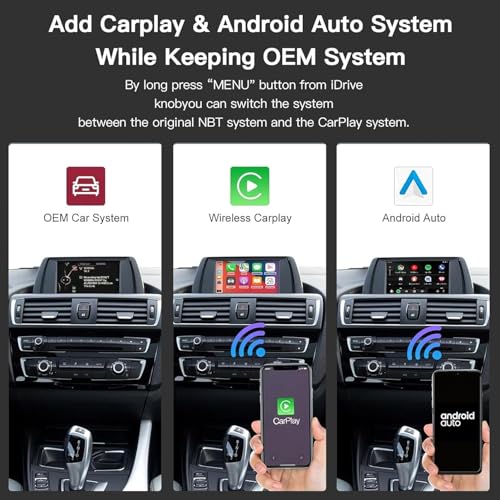
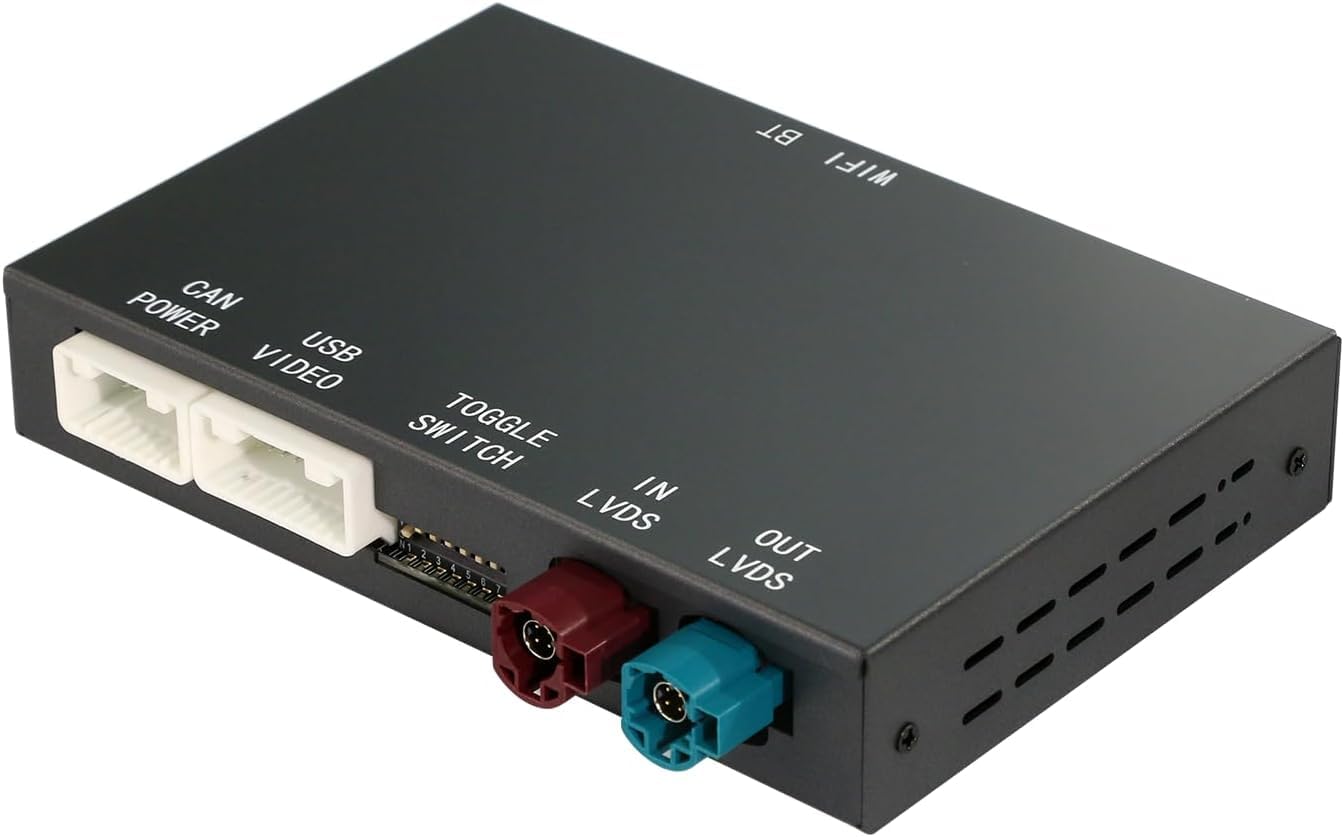
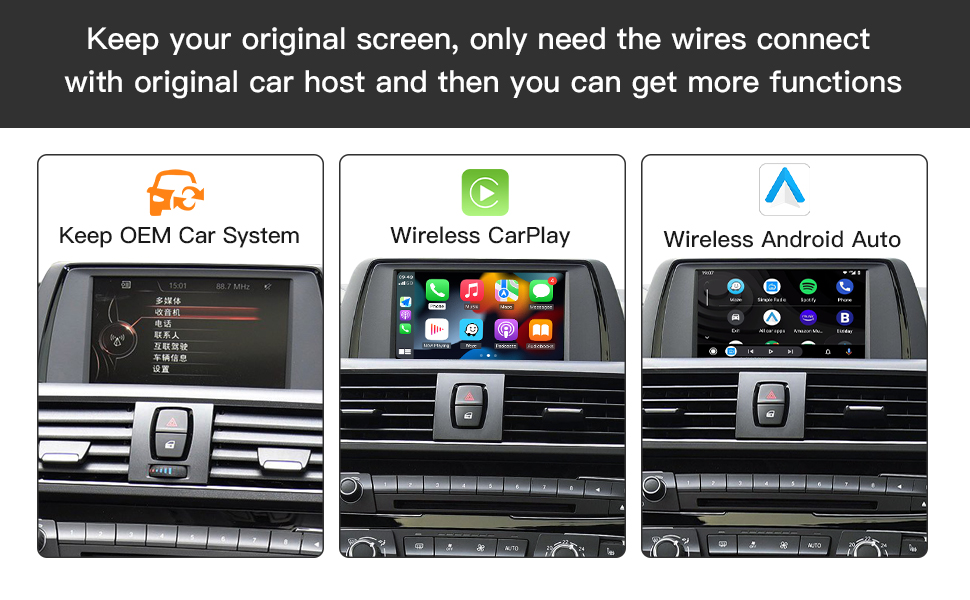
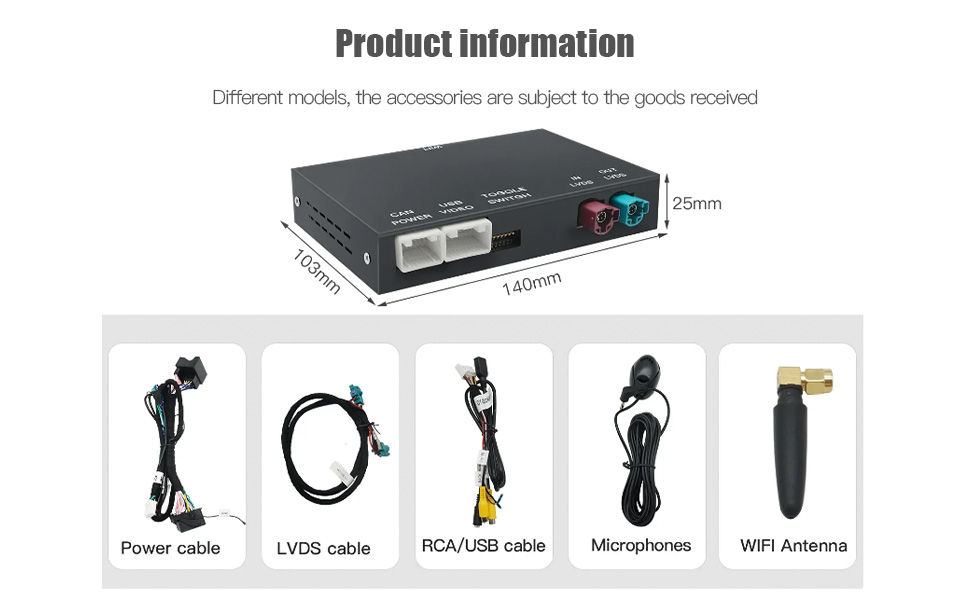
- One CarPlay Interface Decoder : No car screen. You only need to remove the dashboard,and connect it to the original CD host device with our cables You can. After installation, your car not only retains the original car system, but also has more intelligent and entertainment functions added. Enjoy the ultimate driving experience.
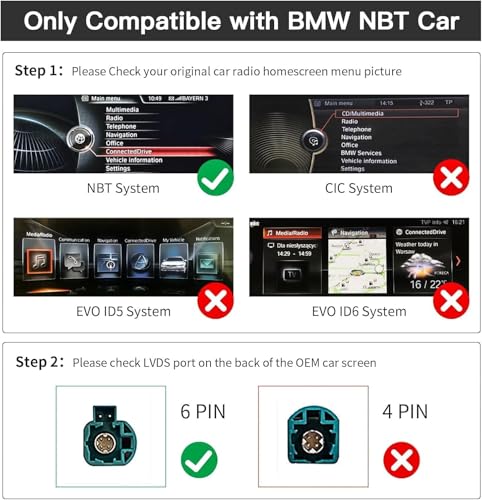
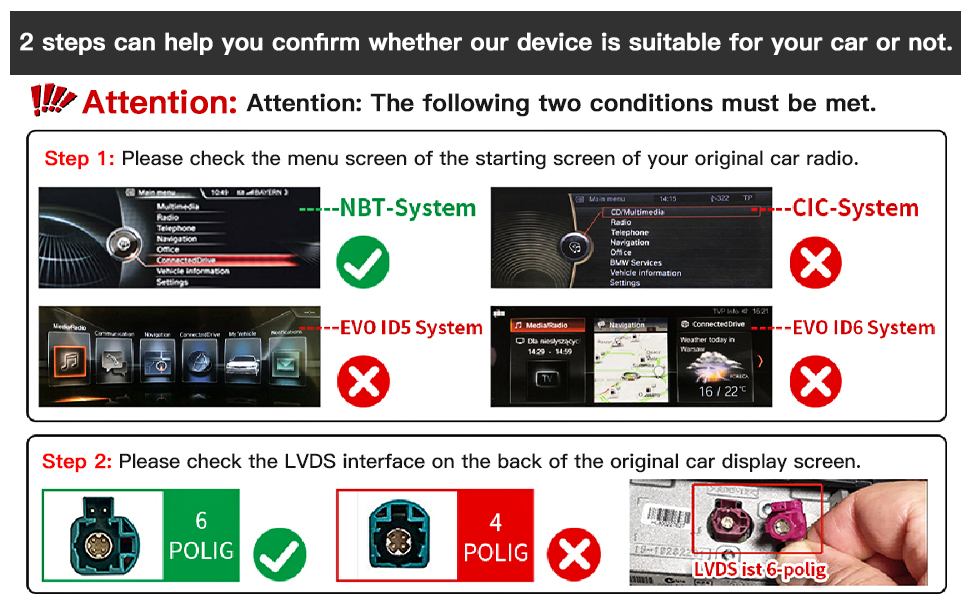
- Notes before purchasing:Please check our website picture to make sure your car system is correct first. This wireless carplay fits BMW NBT system, not for the CIC and NBT EVO system. F20 F30 CIC system car must buy this NBT item link as this original lvds port of the car type is 6 pin. If you can't be sure, get help from us first.
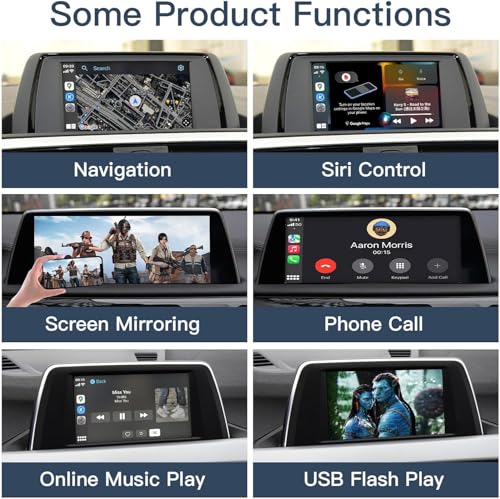
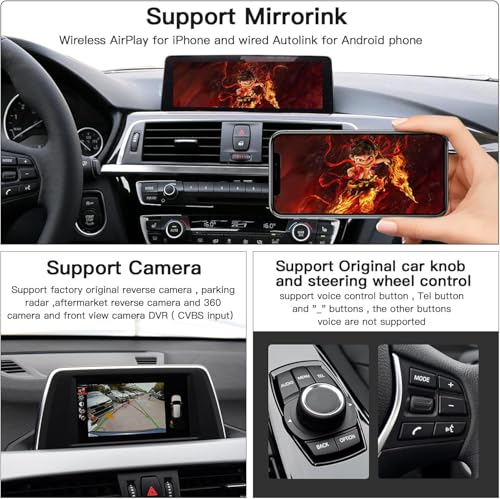
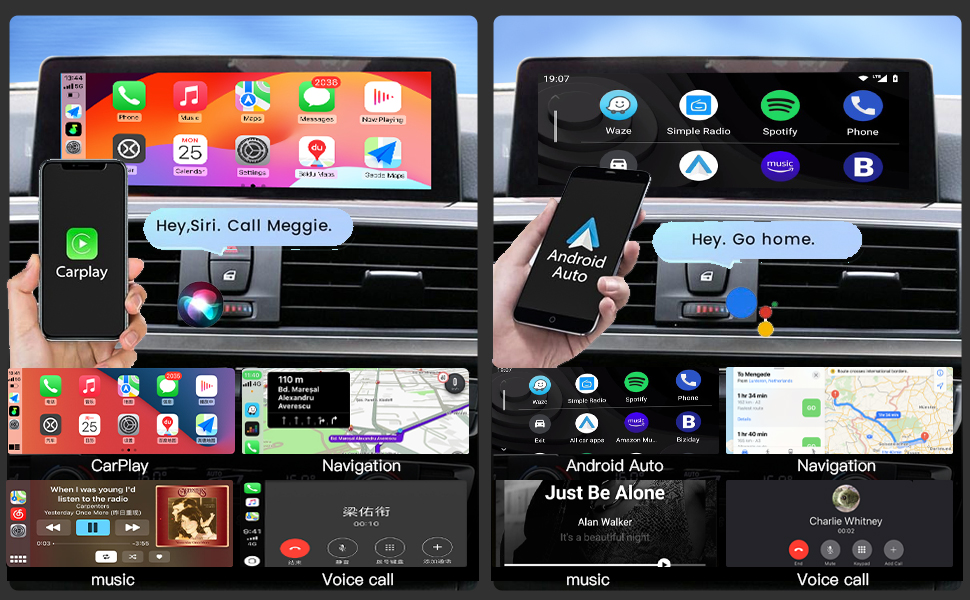
- Other functions: Support wireless/wired CarPlay, wireless/wired Android Auto, Mirrorlink, watch video, listen to music, view news, navigation. Support Siri and Google OK voice control – Free your hands for a safe and smart driving experience
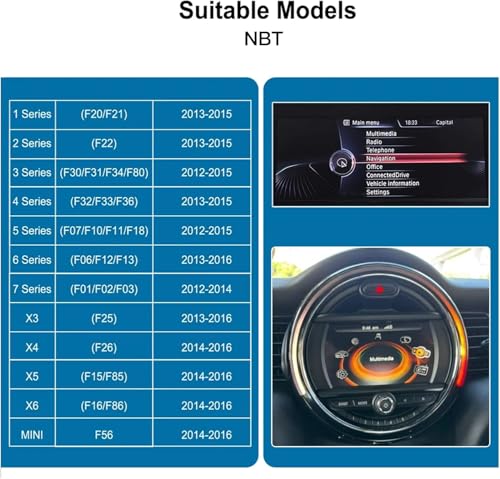
- Compatible Models and Year:Fit for BMW 3 4 5 6 7 Series X1 X3 X4 X5 X6 2012-2016 Year with NBT System. Such as : 3-Series F30/F31/F34/F80 2012-2015 Year ; 4-Series F32 /F33 /F36 2013-2015 Year; 5-Series F07 2012-2017 Year;5-Series F10/F11/F18 2012-2016 Year; 6-Series F06/F12/F13 2013-2016 Year;7-Series F01/F02/F03 2012-2015 Year; X1-Series F48 2015-2018 Year; X3 F25 X4 F26 2013-2016 Year;X5 F15 F85 X6 F16 F86 2014-2016 Year.
- Original Car Knob Control: For the steering wheel control buttons, the CarPlay Interface Decoder Box supports voice control button, Tel button, voice buttons, the other buttons are not supported
- Rear view camera functions: Supports the manufacturer's original rear view camera and parking radar; Support for aftermarket rear view cameras and 360-degree cameras; Support for front view camera DVR (CVBS video input)
- Installation: Bitte beachten Sie, dass Sie das Armaturenbrett ausbauen müssen, um die Kabel zu verbinden. Die meisten Probleme entstehen durch falsche Kabelverbindungen oder Einstellungen, Aber keine Sorge, wir werden sie beheben. Bitte überprüfen Sie vor dem Zusammenbau, ob alle Funktionen einwandfrei arbeiten. Wir bieten 1 Jahr Garantie und 24-Stunden-Kundensupport. Bei Fragen oder Problemen können Sie sich jederzeit an uns wenden.
Frequently asked question
Q: The after-sales screen is blurry.
A: Replace the LVDS cable to the host to rule out poor LVDS contact.
Q: The original car audio is normal, but Carplay has no sound.
A: The Carplay sound channel is selected as the original car AUX. (2) If there is still no sound, you need to play the after-sales music and then switch to the original car AUX to activate.
Q: There is an echo when making a call.
A: Eliminate the echo in the settings to solve the problem.
Q: There is no sound when playing music or making a call on Carplay.
A: Check whether the sound is in the USB AUX channel. Do not connect the original car Bluetooth or mobile phone.
Q: Carplay is connected but the screen is black and the sound is normal.
A: Turn off the mobile phone's WiFi and Bluetooth and check whether the installation interface can be displayed normally. If the reversing image is disconnected, please go to the after-sales interface to set it up.
-

- X1
-
- X3
-
- X4
-
- X5
-
- X6 (2012-2016) with NBT System
-
- CarPlay Retrofit Kit Decoder
-
- Support Mirrorlink Navigation
| SKU: | B0H2VRSTBY |
| Brand: | CARabc |
| Model: | CARabc123 |
| Batteries Included: | No |
| Manufacture: | CARABC |
| Origin: | China |
Product Description
Frequently asked question
Q: The after-sales screen is blurry.
A: Replace the LVDS cable to the host to rule out poor LVDS contact.
Q: The original car audio is normal, but Carplay has no sound.
A: The Carplay sound channel is selected as the original car AUX. (2) If there is still no sound, you need to play the after-sales music and then switch to the original car AUX to activate.
Q: There is an echo when making a call.
A: Eliminate the echo in the settings to solve the problem.
Q: There is no sound when playing music or making a call on Carplay.
A: Check whether the sound is in the USB AUX channel. Do not connect the original car Bluetooth or mobile phone.
Q: Carplay is connected but the screen is black and the sound is normal.
A: Turn off the mobile phone’s WiFi and Bluetooth and check whether the installation interface can be displayed normally. If the reversing image is disconnected, please go to the after-sales interface to set it up.