Car Stereo for Volkswagen VW Polo 2010-2014 with Wireless CarPlay Android Auto
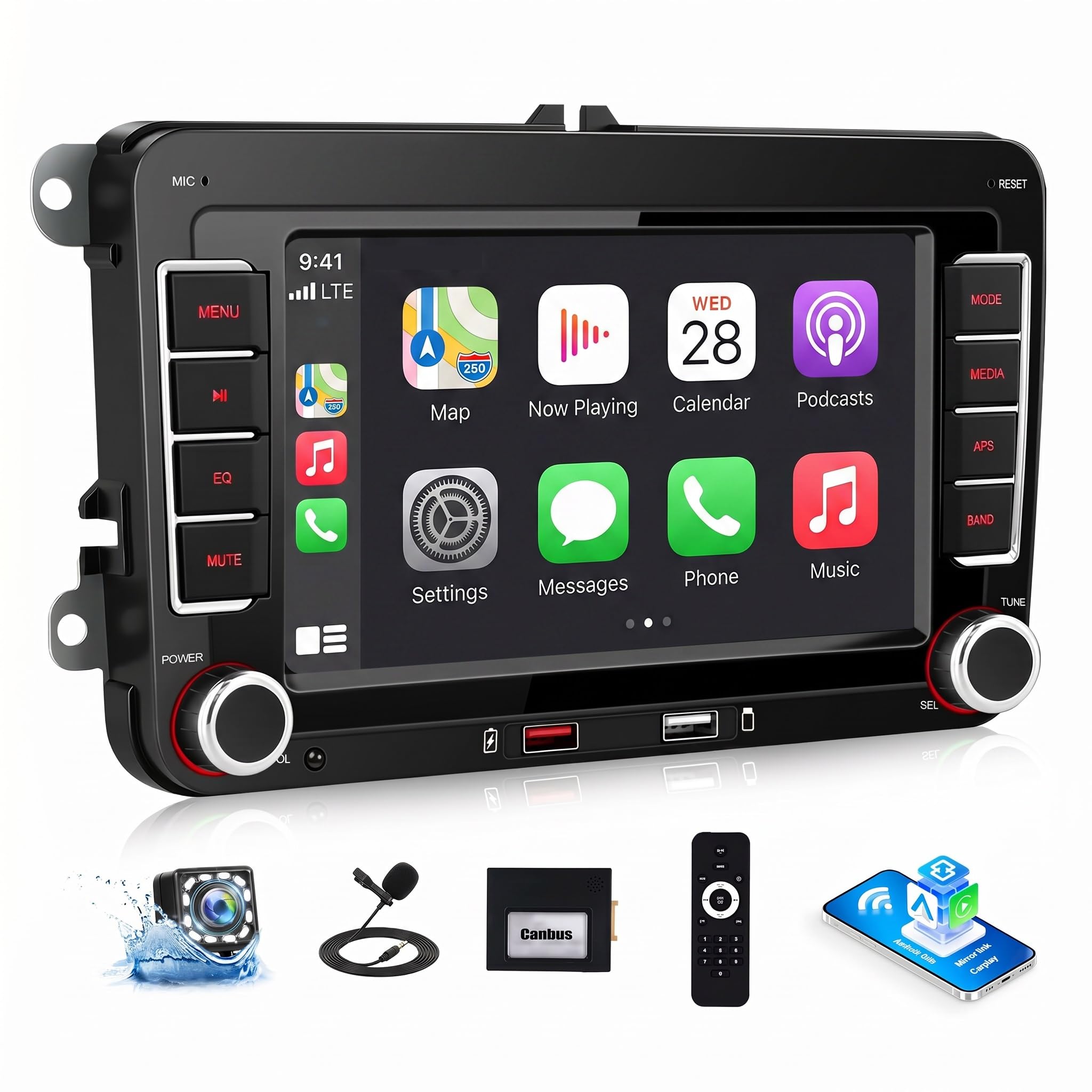
Car Stereo for Volkswagen VW Polo 2010-2014 with Wireless CarPlay Android Auto, 7″ HD Touchscreen Car Radio with Backup Camera, AM FM RDS, Bluetooth, Mirror Link, EQ, USB, Remote Control
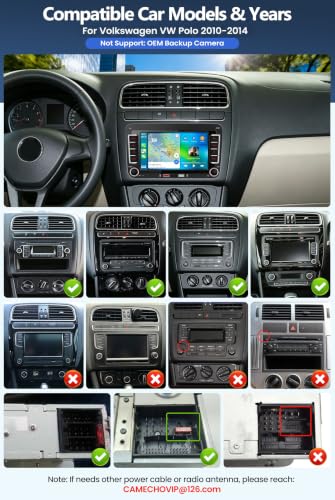
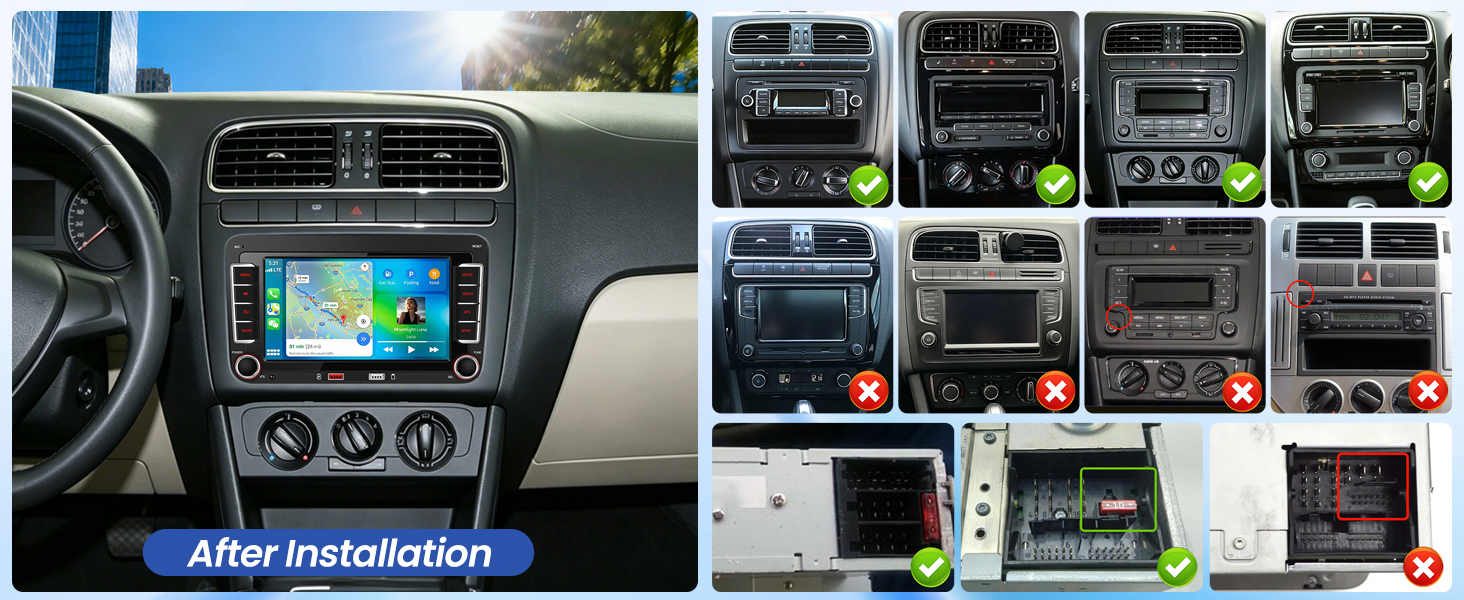
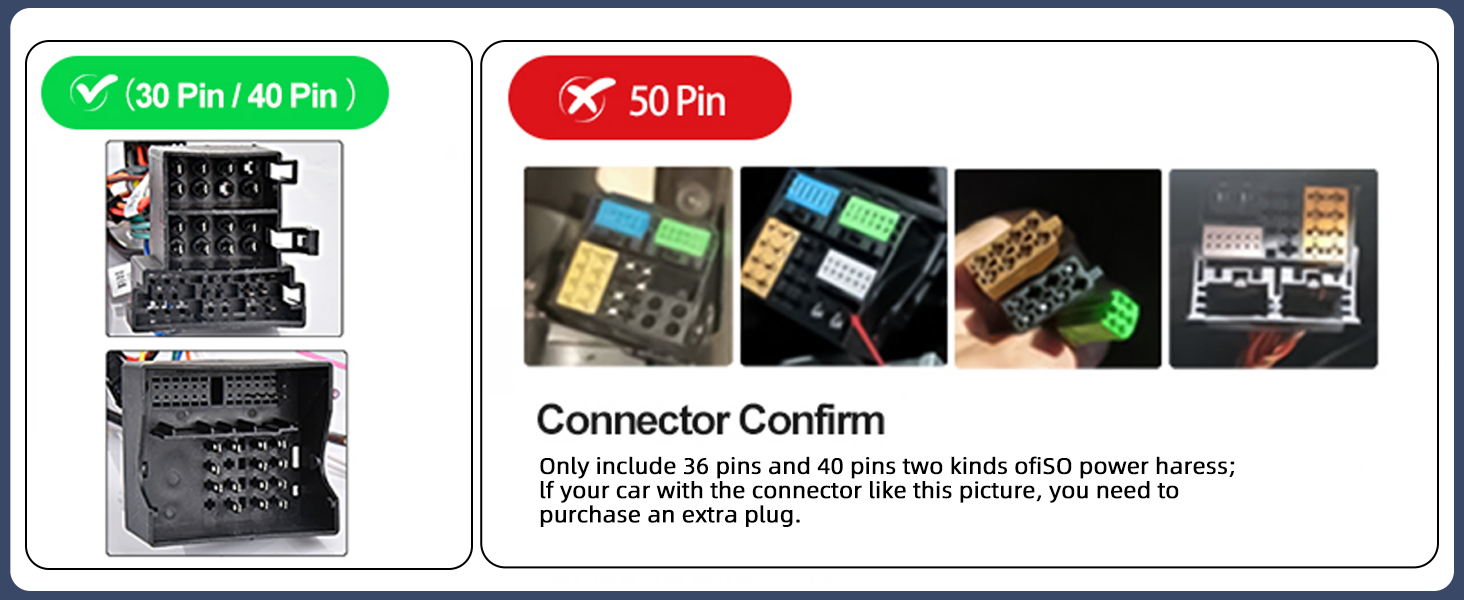
- [APPLICABLE VEHICLE MODELS] – 7 inch HD 1024*600 capacitive touch screen radio is special for 2010-2014 Volkswagen VW Polo Radio, Canbus included (Not Support: OEM Backup Camera) (Not Android System, No GPS) Note: If needs other power cable or radio antenna, please reach us
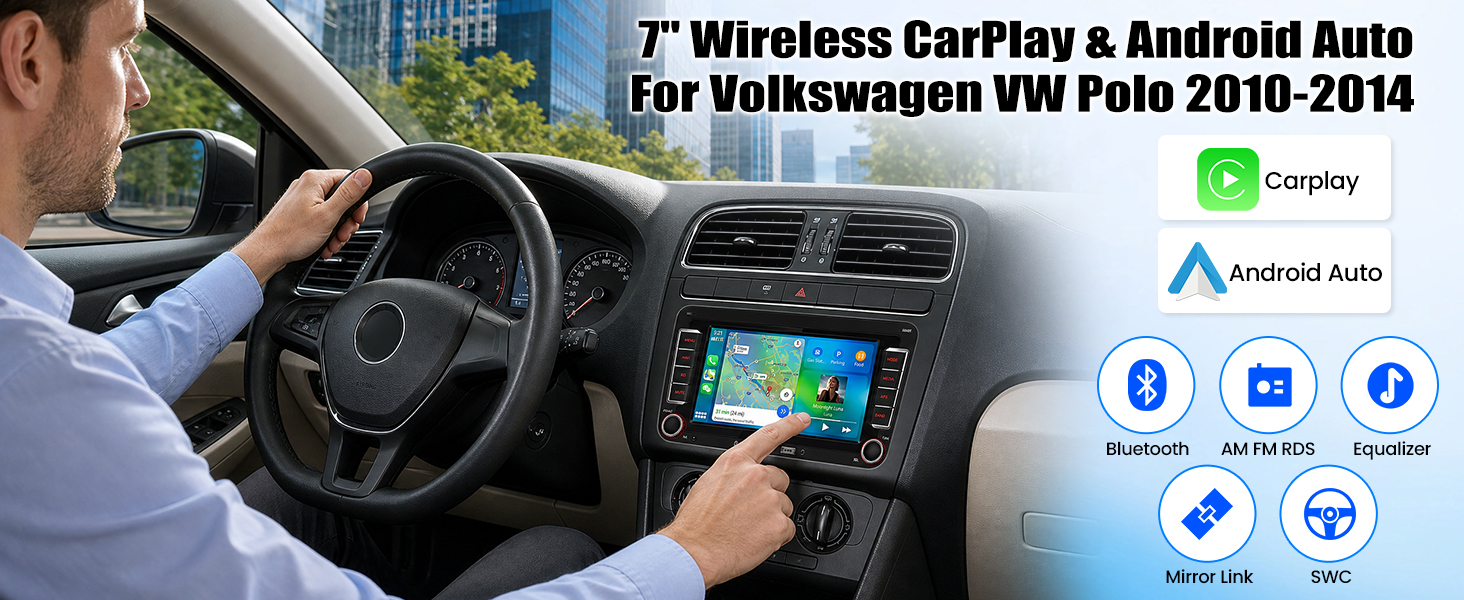
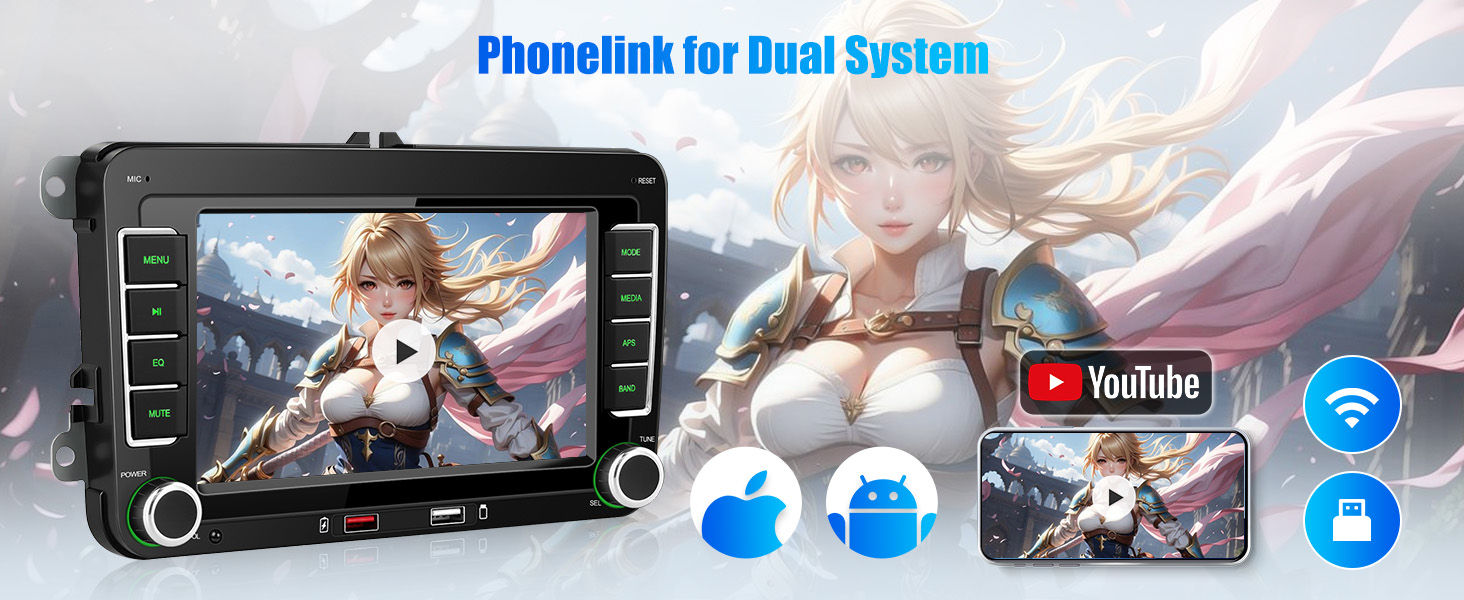
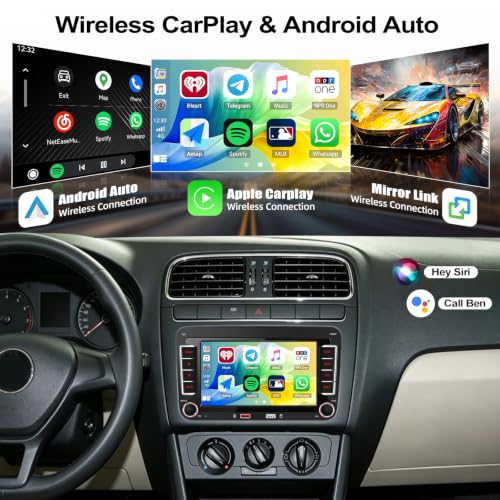
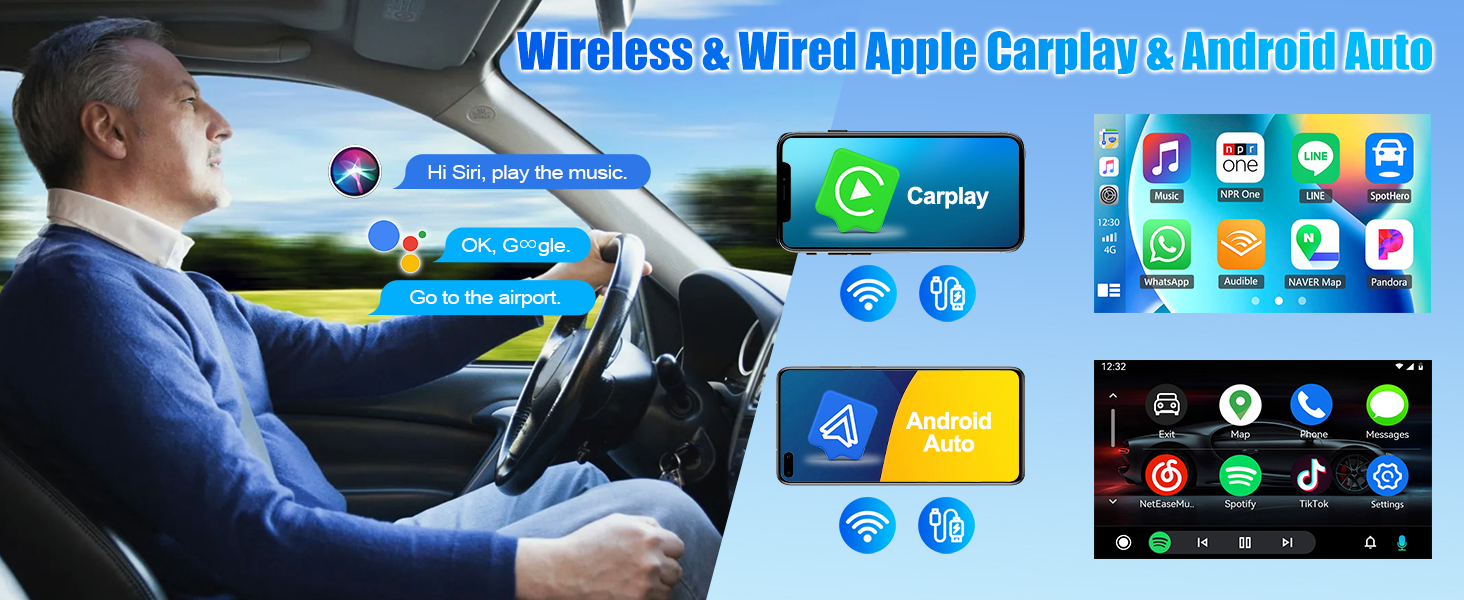
- [WIRELESS CARPLAY & ANDROID AUTO] – Built-in wireless Apple Carplay and Android Auto, connecting to mobile phones simpler and smarter, more convenient in usage
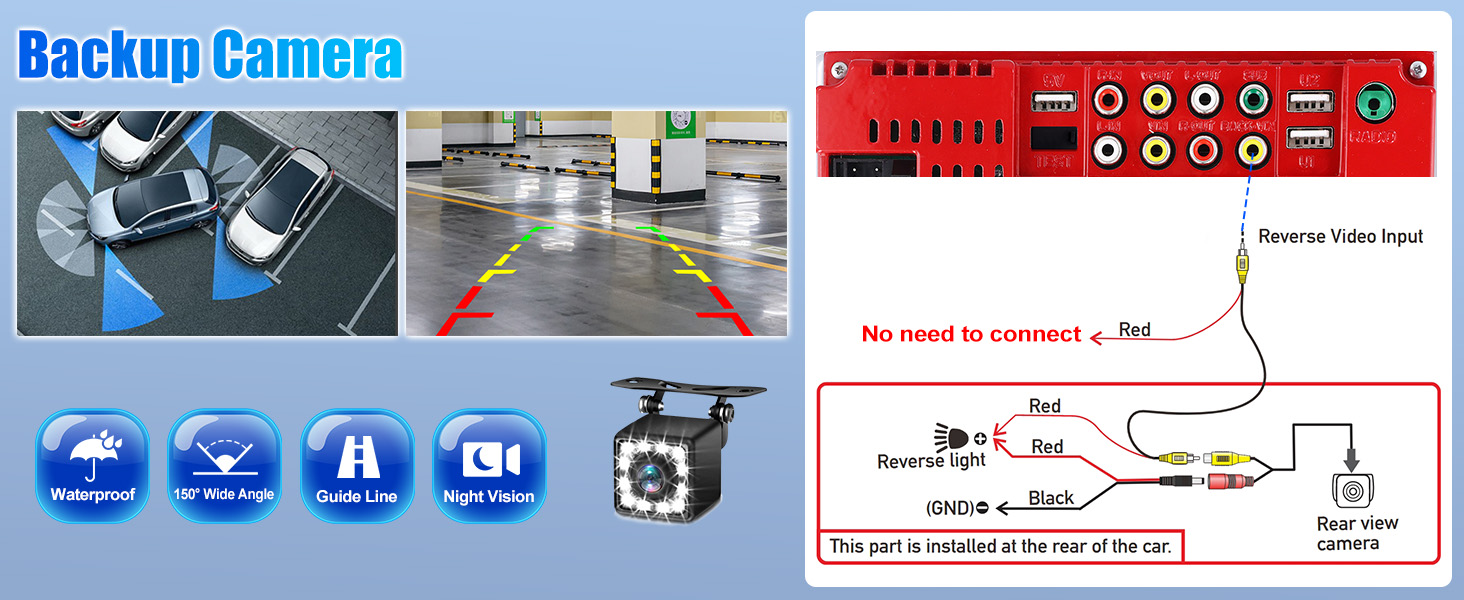
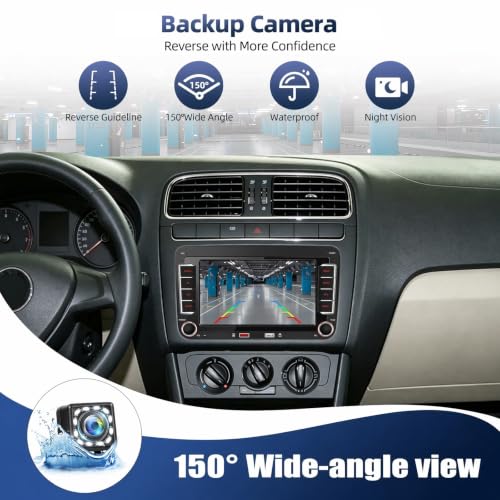
- [HEAD UNIT WITH BACKUP CAMERA] – The car stereo is equipped with a 12-LED rear view camera, which can automatically and clearly display the reversing image when reversing, providing safer reverse assistance
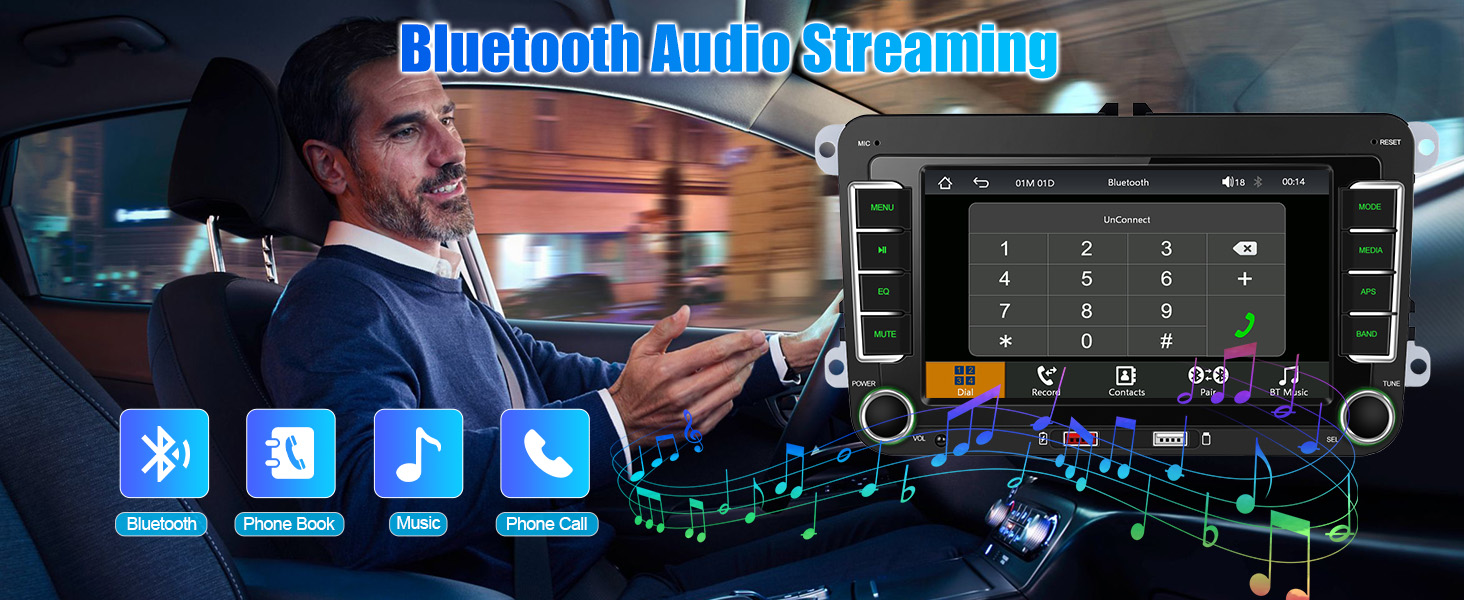
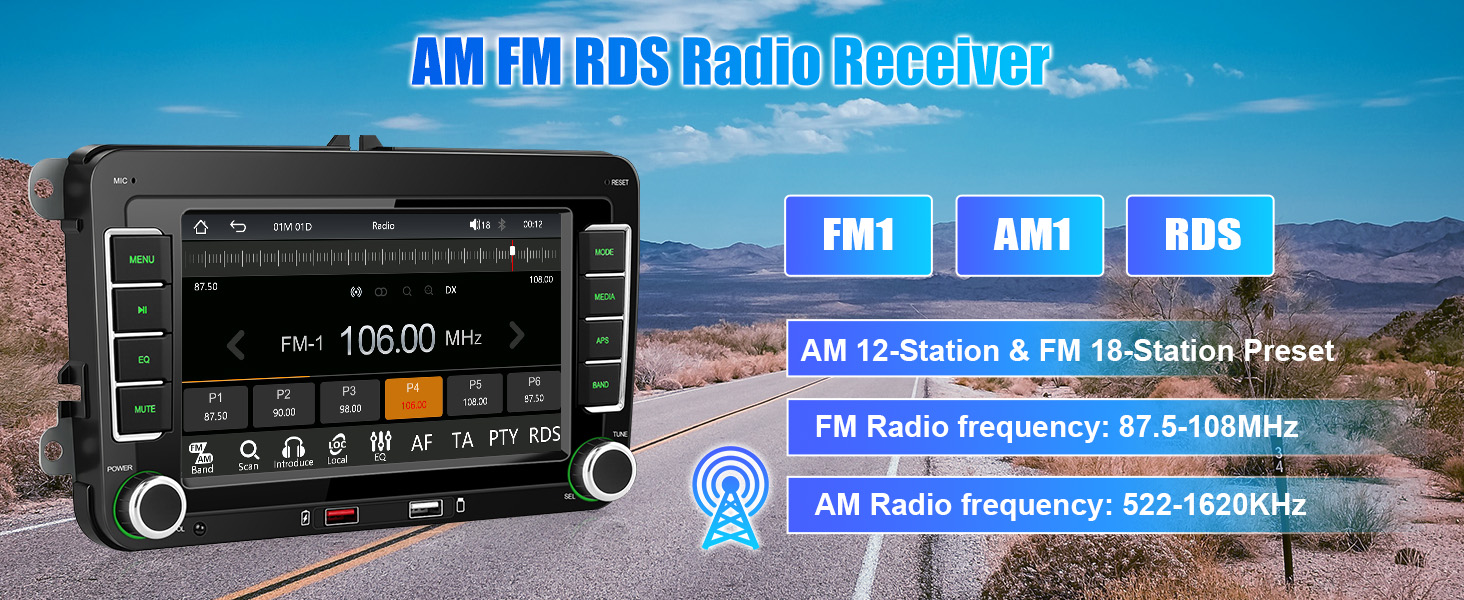
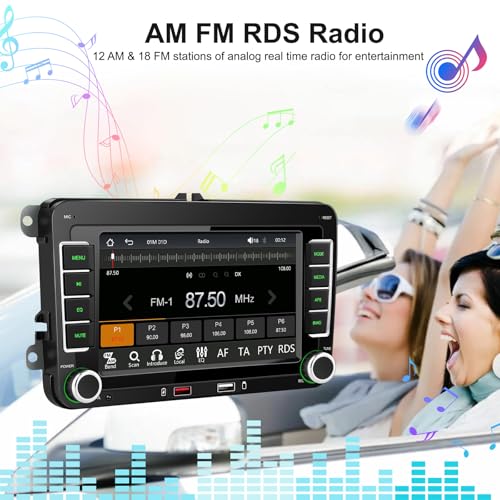
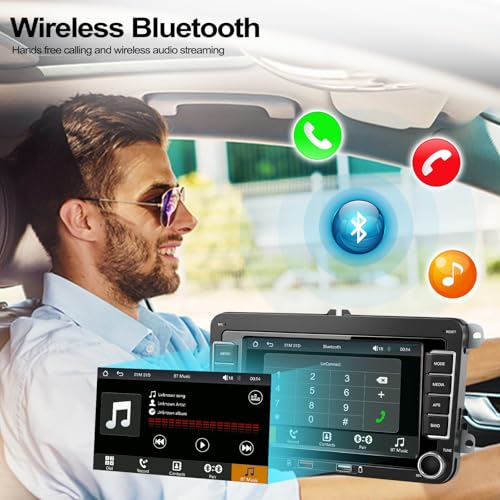
- [CAR RADIO WITH BLUETOOTH & AM FM RDS] – Increase safety through Bluetooth function while driving by making hands-free calls. Built-in microphone and an external one for better calls quality. Tuning into preset stations of AM FM RDS radio to listen to traffic updates, news broadcasts, weather forecasts and other real-time information
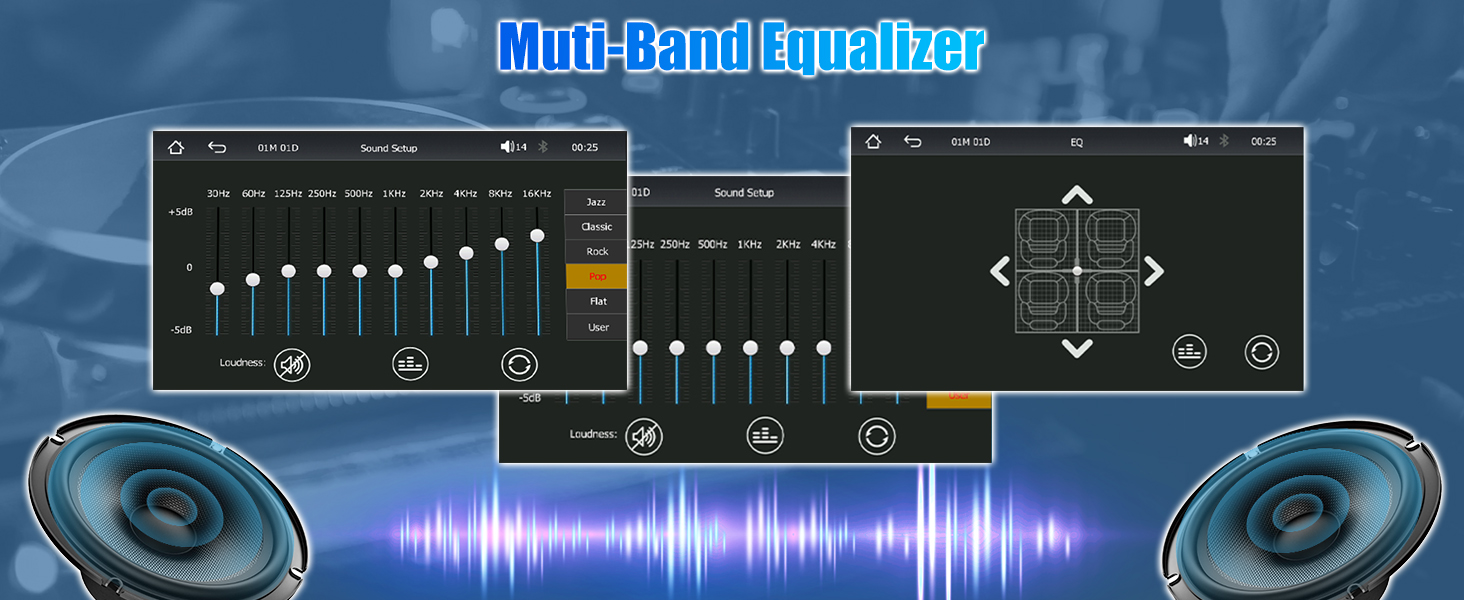
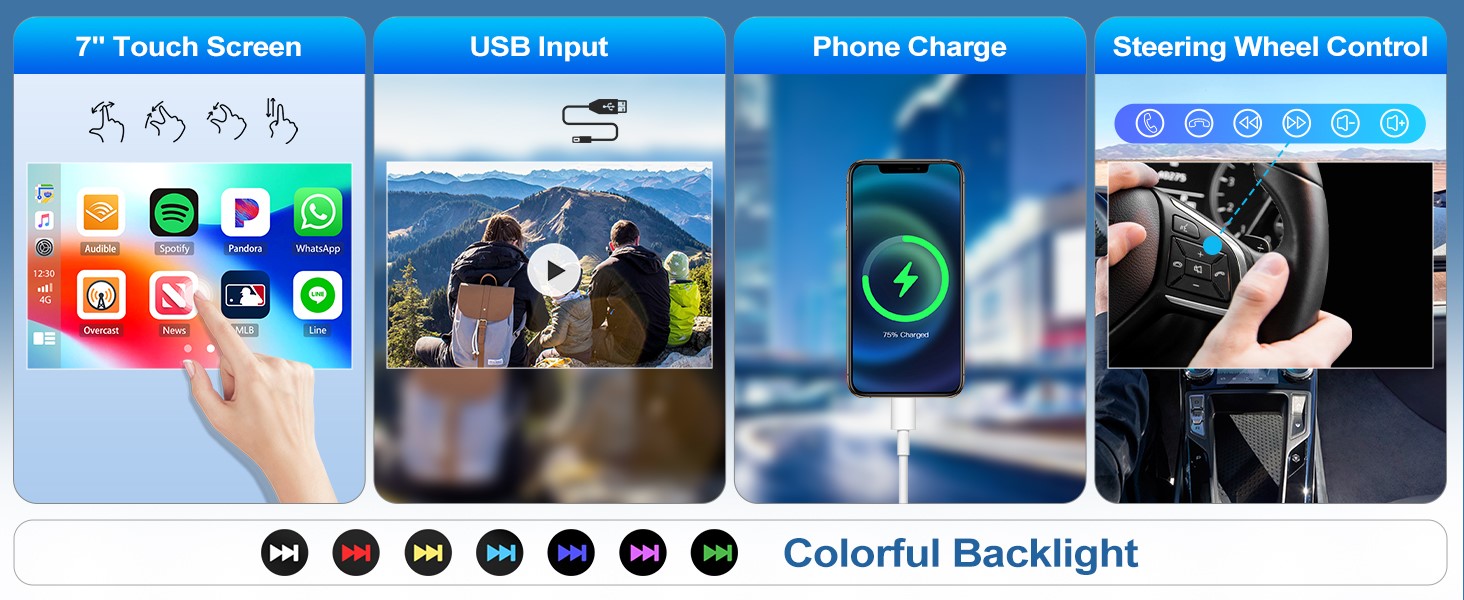
- [MULTIFUNCTIONAL CAR STEREO SYSTEM] – 1. Keep original steering wheel key control functioning; 2. Support equalizer for sound effect; 3. Support USB playback and phone charging, colorful ledlight; 4. Support Android/IOS mirroring function to display the phone screen on the car radio
Built-in wireless Apple Carplay and Android Auto, the 7 inch HD head unit supports Bluetooth hands-free, AM FM RDS radio, mirror link, USB playback, including a backup camera and a remote control, compatible with
Volkswagen VW Polo 2010-2014
Not Support: OEM Backup Camera
No Division in Your Family Between iPhone and Android Phone Users!
Wireless CarPlay & Android Auto: A car-computer interaction system specially customized for operating Apps from your phone such as navigation, telephone, music, voice assistant, etc. on the car radio touchscreen
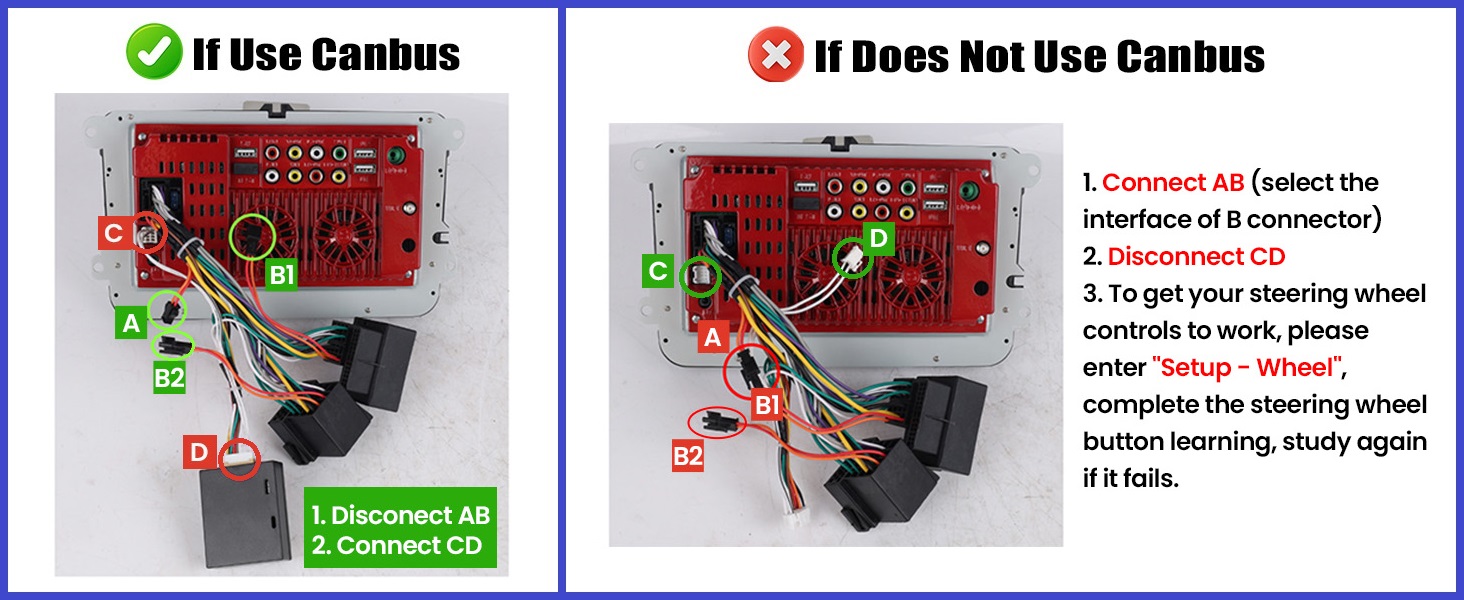
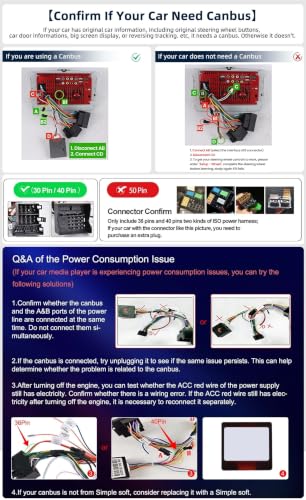
Please do NOT connect the small black plugs and Canbusat the same time:
1.If using Canbus, disconnect small Black plugs AB
2.If do not use Canbus, connect AB and disconnect Canbus CD of power cable
Note: If needs other power cable or radio antenna, please reach us
7" VW Car Stereo with Wireless CarPlay & Android Auto
| Voltage | DC12V |
| System | F133 |
| Size | 7 inches |
| Screen resolution | 1024×600 |
| Apple CarPlay | Support wireless & wired CarPlay |
| Andriod Auto | Support wireless & wired Andriod Auto |
| Mirror Link | Support wireless & wired |
| Maximum Power output | 4*45Watts |
| USB interface | USB2.0 |
| Reversing input | CVBS |
| Radio Band | FM/AM/RDS |
| Radio range | FM 87.5-108.0MHZ (Europe) |
| AM Radio frequency | 522-1620KHz |
| Colorful lights | Support |
| Factory Settings Key | 112345 |
| Language | English, Chinese, French, German, Arabic, Italian, Japanese, Portuguese, Russian, Spanish, Hebrew, Polish, Turkish, Czech, Korean, Dutch |
Why the car radio does not turn off and keeps draining my battery?
1. If using Canbus, disconnect small Black plugs AB
2. If do not use Canbus, connect AB and disconnect Canbus CD of power cable
3. Use a multimeter to check for the wiring leaking when car is off, please reach us and let us know your checking
Does the car stereo support GPS or WIFI?
No, the car stereo does not built-in GPS or WIFI.
The WIFI antenna in the package is only for wireless carplay or android auto, mirror link, not for Internet.
If want to navigate or use more functions, please use carplay, android auto or mirror link.
How to get my original steering wheel control to work?
1. If use Canbus, please connect Canbus CD plugs, disconnect AB plugs
2. If do not use Canbus, connect AB plugs, disconnect Canbus CD plugs, then enter “Setup – Wheel" and learn the button's function
How to connect Subwoofer or Amplifier?
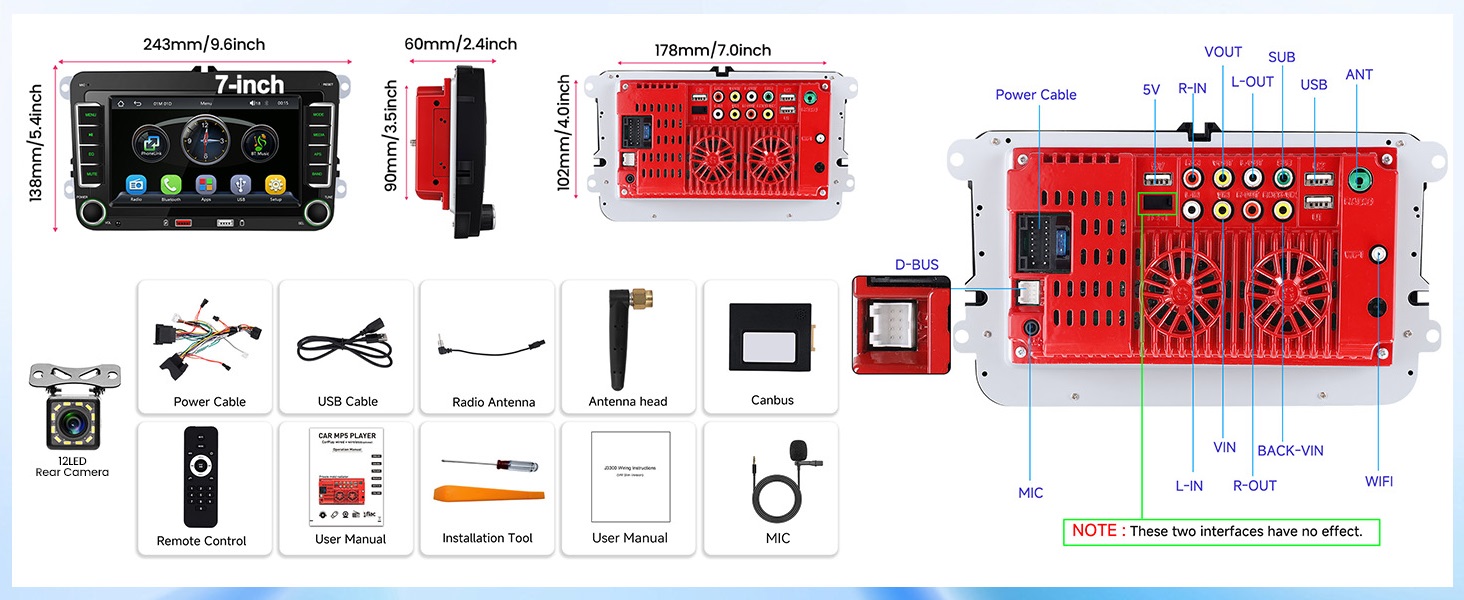
Please connect amplifier to the rear Audio Output (L/R-OUT) ports, subwoofer to SUB output.
If needs more subwoofer output ports, please use L/R-OUT ports.
The accessories are missing / The package is not complete.
If missing any parts, please keep the pictures of package content, and reach us. Our team will supply again.
-

- 7″ HD Touchscreen Car Radio with Backup Camera
-
- AM FM RDS
-
- Bluetooth
-
- Mirror Link
-
- Backup Camera
-
- USB
-
- Remote Control
| SKU: | B0H3Z76SBV |
| Brand: | CAMECHO |
| Manufacture: | CAMECHO |
| Origin: | China |
Product Description
Built-in wireless Apple Carplay and Android Auto, the 7 inch HD head unit supports Bluetooth hands-free, AM FM RDS radio, mirror link, USB playback, including a backup camera and a remote control, compatible with
Volkswagen VW Polo 2010-2014
Not Support: OEM Backup Camera
No Division in Your Family Between iPhone and Android Phone Users!
Wireless CarPlay & Android Auto: A car-computer interaction system specially customized for operating Apps from your phone such as navigation, telephone, music, voice assistant, etc. on the car radio touchscreen
Please do NOT connect the small black plugs and Canbus at the same time:
1. If using Canbus, disconnect small Black plugs AB
2. If do not use Canbus, connect AB and disconnect Canbus CD of power cable
Note: If needs other power cable or radio antenna, please reach us
7″ VW Car Stereo with Wireless CarPlay & Android Auto
| Voltage | DC12V |
| System | F133 |
| Size | 7 inches |
| Screen resolution | 1024×600 |
| Apple CarPlay | Support wireless & wired CarPlay |
| Andriod Auto | Support wireless & wired Andriod Auto |
| Mirror Link | Support wireless & wired |
| Maximum Power output | 4*45Watts |
| USB interface | USB2.0 |
| Reversing input | CVBS |
| Radio Band | FM/AM/RDS |
| Radio range | FM 87.5-108.0MHZ (Europe) |
| AM Radio frequency | 522-1620KHz |
| Colorful lights | Support |
| Factory Settings Key | 112345 |
| Language | English, Chinese, French, German, Arabic, Italian, Japanese, Portuguese, Russian, Spanish, Hebrew, Polish, Turkish, Czech, Korean, Dutch |
Why the car radio does not turn off and keeps draining my battery?
1. If using Canbus, disconnect small Black plugs AB
2. If do not use Canbus, connect AB and disconnect Canbus CD of power cable
3. Use a multimeter to check for the wiring leaking when car is off, please reach us and let us know your checking
Does the car stereo support GPS or WIFI?
No, the car stereo does not built-in GPS or WIFI.
The WIFI antenna in the package is only for wireless carplay or android auto, mirror link, not for Internet.
If want to navigate or use more functions, please use carplay, android auto or mirror link.
How to get my original steering wheel control to work?
1. If use Canbus, please connect Canbus CD plugs, disconnect AB plugs
2. If do not use Canbus, connect AB plugs, disconnect Canbus CD plugs, then enter “Setup – Wheel” and learn the button’s function
How to connect Subwoofer or Amplifier?
Please connect amplifier to the rear Audio Output (L/R-OUT) ports, subwoofer to SUB output.
If needs more subwoofer output ports, please use L/R-OUT ports.
The accessories are missing / The package is not complete.
If missing any parts, please keep the pictures of package content, and reach us. Our team will supply again.