10.26″ Carplay Screen for Car, 2-in-1 Car Play Screen Wireless Android Auto
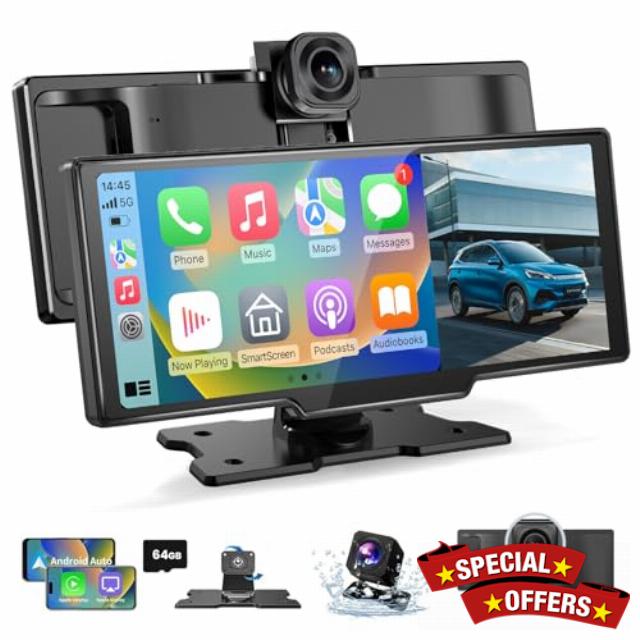
10.26″ Carplay Screen for Car, 2-in-1 Car Play Screen Wireless Android Auto with 4K Front and 1080P Rear Camera, Car Tablet Pro Max 2026 Car Stereo Mirror Link AUX FM Bluetooth 64G SD
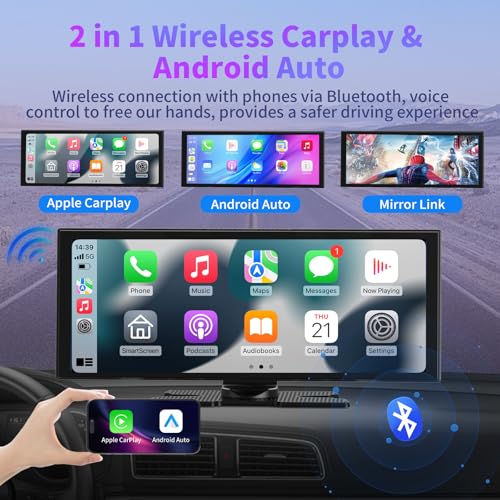
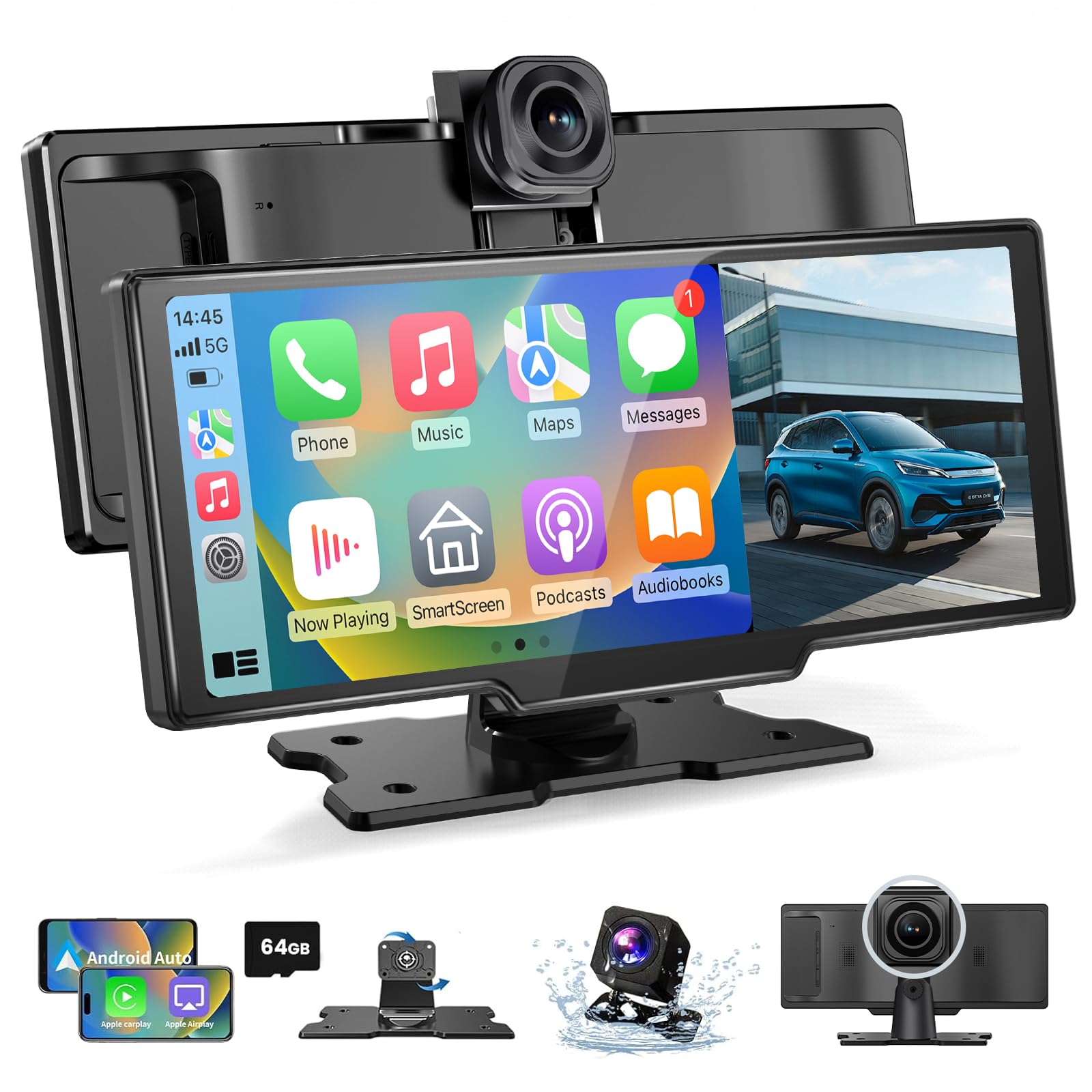
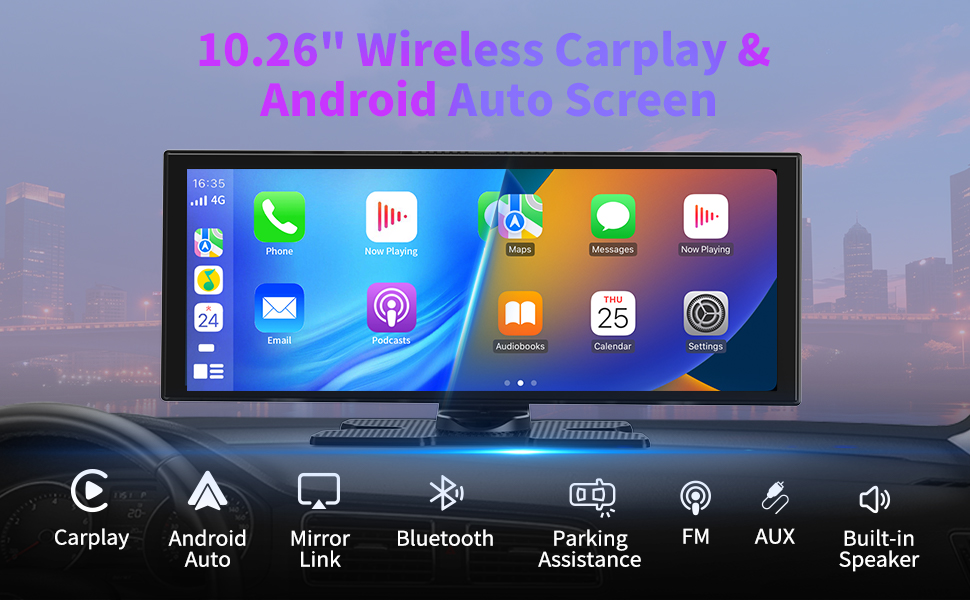
- 【Wireless CarPlay & Android Auto】Our car play screen supports not only wireless CarPlay connection but also wireless Android Auto connection. Once connected via Bluetooth to CarPlay or Android Auto, we can use our car tablet to access phone features such as navigation, voice control, music playback, and call handling, providing a more comfortable, safe, and intelligent driving experience
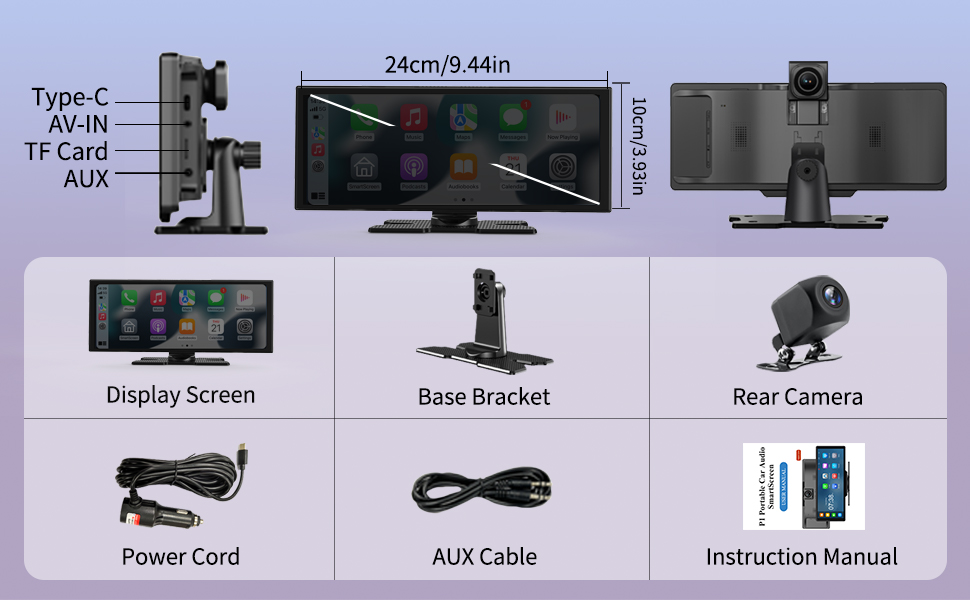
- 【10.26-inch IPS Touchscreen & Mirror Link】The Android Auto screen features an 10.26-inch IPS HD touchscreen with fast response and no delay, offering 1600*600P HD resolution. By connecting your Android or iOS phone via WiFi using Airplay/Super Link, we can wirelessly mirror our phone screen and enjoy a visual and auditory feast offered by the car tablet pro max 2026
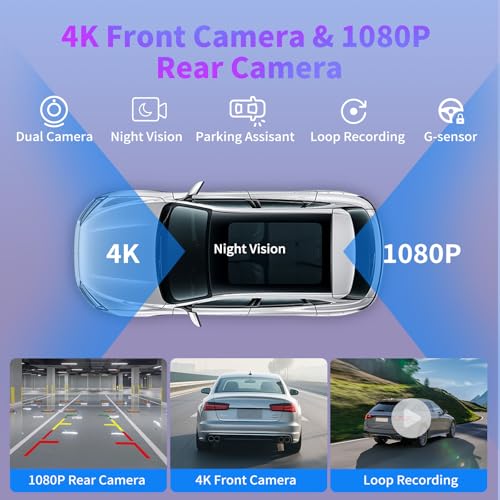
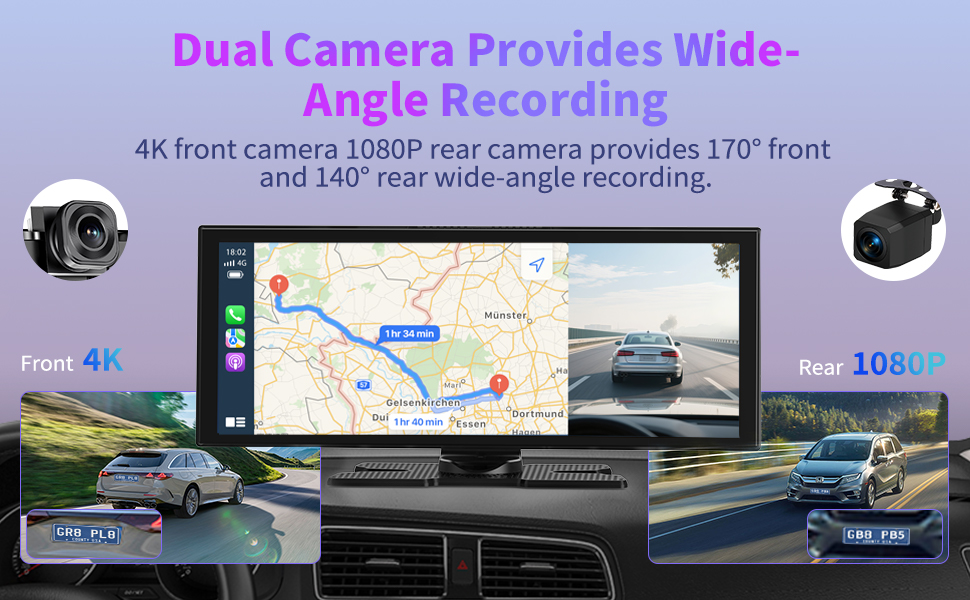
- 【4K Front & 1080P Rear Cameras】Our carplay screen for car comes with a 4K HD front camera and a 1080P IP65 waterproof rear camera, offering 140° front and 138° rear wide-angle coverage. The wireless carplay screen provides clear recording in all conditions, whether it’s raining or at night. When the rear camera is properly installed and the car is put in reverse, the android car play automatically switches to the rear view, assisting with parking and reversing
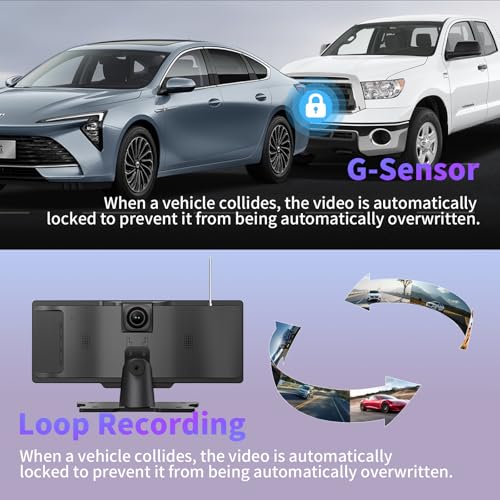
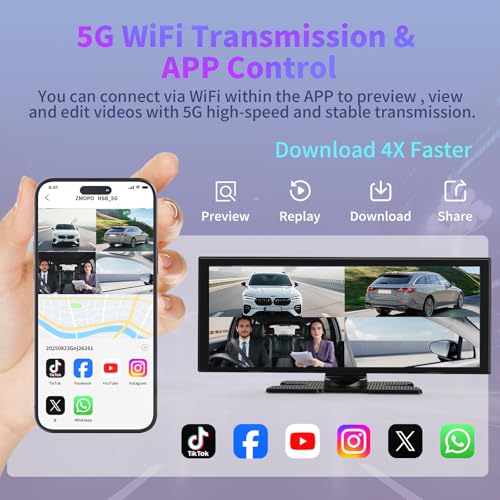
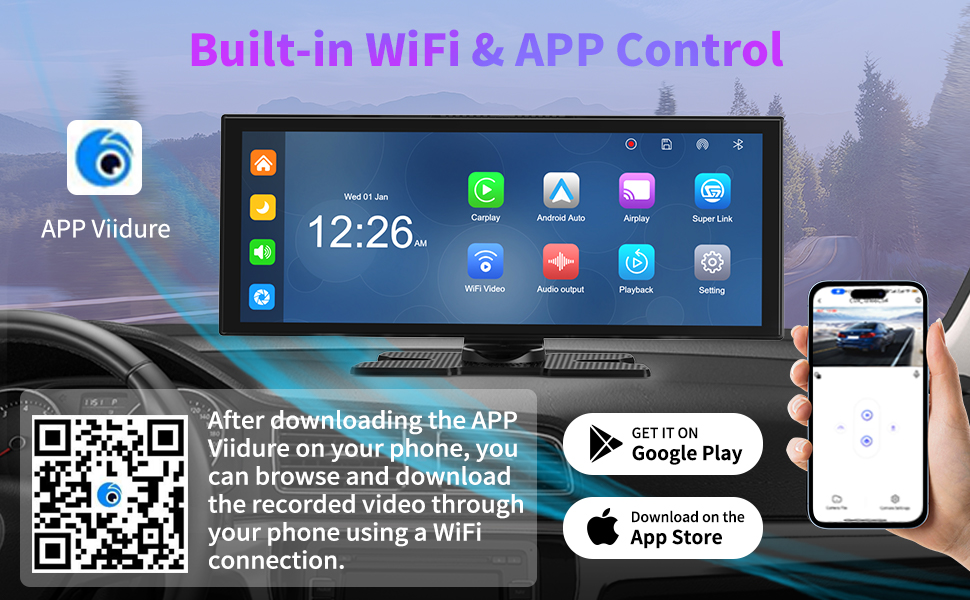
- 【App Preview & Loop Recording】After scanning the QR code on our phone to download the app, we can connect to the wireless Android Auto screen via phone WiFi and preview or play videos through the app. By inserting a 64GB SD card, the car play will automatically loop videos, overwriting the oldest files without the need for manual cache clearing
- 【4 Audio Transmission Modes & Plug-and-Play】The car tablet pro max supports Bluetooth, FM, and AUX audio output modes. Audio can play directly through the car’s original speakers or the carplay screen’s built-in speakers. Installing Android Auto CarPlay is very simple, requiring no complex wiring or removal of the original car dashboard—just connect the power cable to the car cigarette lighter socket to start using
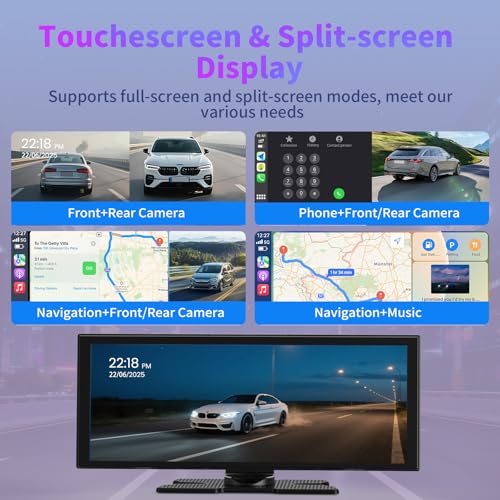
- 【Adjustable Dual Screen & Smart Brightness Adjustment】When using CarPlay or Android Auto, we can freely switch between full-screen and split-screen modes to suit different usage scenarios. The vehicle system is equipped with a light sensor, and when automatic brightness adjustment is enabled, the car play screen for car will automatically switch between day mode and night mode according to the time, providing a comfortable visual experience
10.26" Car Tablet Pro Max 2026, Carplay Screen for Car Android Auto Screen with 4K Front Camera and 1080P Rear Camera
1. Our in-car screen is controlled by touch screen, real-time control, and responsive. Built-in screen saver, can be set: off/10s/30s/1min.
2. The car screen can be wirelessly connected through the Bluetooth function, and it supports IOS10 and above or Android 11.0 and above.
3. The stand for Android can be rotated and adjusted 360°, and the viewing angle can be adjusted according to needs, with a friendly design.
4. The car screen provides: Bluetooth/AUX/FM/built-in speaker 4 sound output mode, which can be set according to your own needs.
Airplay Mirroring
1) Turn on Airplay Mirroring option on P1.
2) Turn on iPhone WiFi and connect to P1 WiFi.3)Enter the password 12345678.
4) Turn on iPhone screen mirroring search the SmartScreen and connect.
Android Cast
1) Turn on Super Link option on P1.
2) Follow the prompts to install the app [Evelink] on your phone.
3) Run the app and select “WiFi Direct"connection mode, connect to P1.
Note:
If your phone is running Android 16, frequent disconnections may occur while using Android Auto. Please follow the steps below to fix this issue.
1.Search for and download EVELink from Google Play on your phone.
2.On the smart screen, switch to SuperLink (Android mode).
3.Launch the EVELink app on your phone, then connect to the smart screen.
4.Wait for the message "Android 16 Auto Connect issue Fixed" to appear in the EVELink app. Once shown, tap OK.
5.Switch to Android Auto mode and connect your phone. Confirm that Android Auto no longer disconnects.
WiFi Video
1) Turn on WiFi Video option on P1.
2) Install the app [Viidure] on your phone.
3) According to the app prompt, connect to P1 WiFi, the password is 12345678.
●After inserting the SD card, it starts looping recording and automatically overwrites earlier videos, no need to manually clear the cache.
●If you need to use the reversing assistance, you need to connect the rear camera to the positive terminal of the reversing lights.
●Collision sensitive setting, when a collision occurs, automatically lock the recorded image at that time.
●The 4K UHD front camera makes it easy to record the beauty of our journey at any time.
If you want the rear camera screen to automatically appear when reversing, please connect the red cable of the rear camera to the positive cable of the reversing light.
***If you cannot distinguish between positive and negative cables, please use a voltmeter for measurement. When in reverse gear, the positive wire of the reverse light can detect a voltage of about 12V.
Peel off a small section of insulation film from the red cable and the positive cable of the reversing light, and screw them together and fix them with insulation tape.
***Please note that the above operations require professional auto repair skills. If you are unable to operate on your own, it is recommended that you seek the help of a professional to avoid damaging your car.
-

- 10.26″ Carplay Screen for Car
-
- Android Auto Screen IPS Touchscreen/Mirror Link/Loop Recording/G-Sensor/Navigation / 64G SD
-
- Car Tablet Pro Max 2026 Car Stereo Mirror Link AUX FM Bluetooth 64G SD
| SKU: | B0H2TMR1ZQ |
| Brand: | ZGJXYRT |
| Model: | Pro Max 2026 |
| Batteries Included: | No |
| Manufacture: | Veralady |
| Origin: | China |
Product Description
Fantastic upgrade for an older car!
Setup was much easier than expected and it works a treat. The screen is a good size and the picture quality is bright and clear, even in direct sunlight. Connecting the phone is seamless with no weird software issues—it’s just like using a tablet on your dash. The rear camera is a massive bonus and gives a really crisp view for parking in tight spots.
It feels nice and sturdy, not like a cheap gadget. Love that I don’t have to fumble with cords every time I get in the car. The interface is responsive and not fiddly at all. Would definitely recommend if you want modern features without the premium price of a new stereo! The speaker quality isn’t amazing, but it is clear enough to hear what’s going on!
easy add on carplay screen that upgrades older car systems
This screen was added to the car because the original setup did not have CarPlay or Android Auto, and changing the whole head unit was not something I wanted to do. I liked the idea that it works as an extra screen without touching the existing system at all. Installation was very straightforward, as it simply plugs into the cigarette lighter and is ready to use within minutes. The size feels just right, as it is compact enough not to block the view but still large enough to see maps and controls clearly. It can be placed on the dashboard or mounted on the windscreen, and both options feel stable once positioned. The touchscreen responds well and feels smooth in daily use, with no noticeable lag when navigating menus or maps. Wireless CarPlay and Android Auto connect quickly through Bluetooth, which makes phone navigation, music, and calls much easier while driving. Screen mirroring works well for sharing phone content when needed, and the display quality is clear and bright. The sound output options give flexibility, whether using Bluetooth, FM, AUX, or the built in speaker. After using it regularly, it feels like a practical upgrade that adds modern features without changing the original car setup.
Makes my old motor feel new
I’ve owned the same twelve-year-old hatchback since it had that new-car smell, and I’d long ago accepted the cabin would always look a little workmanlike. Then this gadget landed. I clipped the screen to the windscreen, ran a lead to the cigarette lighter, and suddenly the interior looked as if it belonged to a far newer, far pricier motor.
The display is seven inches across and pumps out a sharp 1,920 720 picture. Every swipe registers instantly, even when the glass is peppered with crumbs from a drive-through bacon roll. Wireless CarPlay and Android Auto pair in seconds, maps never stutter, and Siri no longer thinks I’m phoning from inside a biscuit tin. AirPlay keeps passengers happily in charge of playlists, and split-screen mode lets me park directions on one side while album art brightens up the other.
The included cameras feel like a gift. The front 4K lens records crystal-clear evidence of my good behaviour, while the 1,080p waterproof rear cam pops up the moment reverse is engaged, turning car-park manoeuvres from guesswork into something almost elegant. Audio can travel via Bluetooth, FM or the trusty AUX, and automatic brightness prevents the screen from acting like a torch after dark.
Build quality is solid, the feature list reads like something twice the price, and installation took less time than boiling the kettle. If you want to add a bit of 21st-century sparkle to an ageing run-about without draining your savings, this little box is a winner.
Item received well packaged in a branded box. Ten years on the road have done little to dull my old estate’s mechanical sparkle, but the dashboard has always looked like something left over from a 1990s minicab. Last weekend I clipped an 11.5 inch IPS panel to the windscreen and, in the space of a single coffee, the interior suddenly felt as current as anything rolling out of a showroom. No spanners required, just the supplied bracket, a lead to the cigarette lighter and a quick Bluetooth handshake, seconds later the display sprang to life, pin sharp at 1920 by 720.
CarPlay and Android Auto both connect wirelessly, which keeps my daughters happy because they never remember a cable. The split screen view is clever, Waze sits on the left, while the Spotify artwork flicks through on the right, so there is no need to poke at menus while moving. A built in light sensor tones the brightness down when we head home after evening five a side and cranks it back up on sun soaked morning commutes along the coast.
Recording duties are handled by a 4K front camera and a 1080p waterproof rear unit. In narrow seaside bays, knowing everything is being looped onto the bundled 64g card takes the edge off tight manoeuvres. Audio can travel by Bluetooth, FM, AUX, or through the screen’s own speaker, meaning even my wife’s ancient runabout sounds fresher when I swap the unit over.
It feels well made, the feature list is borderline ridiculous for the money and fitting it genuinely took no time at all. Easily five stars for giving an ageing motor a shot of modern technology without disturbing the factory head unit.
11.5″ Carplay Screen for Car:
My car has a dip in the dash with a small clock display in the recess. I’ve mounted this right in front of that. It is stable there, at a high view point, it can be reached and the camera is still able to look over the dash.
I really like this set up but I know that I have options to use different mounts if I want to.
I already have a dashcam so the one on this is auxiliary and I also already have a rear view camera installed too. The main reason I use this is because of the widescreen Carplay. It is one of the biggest ones I have seen. I don’t have to squint to see it and I am less likely to miss touching an icon on a bumpy road. It is very responsive to.
The last one I had was 10″ and that looked big at the time but it really depends on the car and your sitting position.
I have no interest in downloading the separate apps for this because I am quite happy to remove the SD card every time I need access to the dashcam videos. and I am not going to watch films on this.
Its great that is has all of these extra features but yeah, not for me. The basics is fine.
The installation was easier than I expected, and the screen works well straight out of the box. Wireless CarPlay and Android Auto connect quickly, so I don’t need to plug my phone in every time I get in the car.
The screen display is clear and responsive, and the menus are easy to navigate. The 4K front camera gives a very sharp and detailed image, which is great for recording drives and for extra safety. The 1080P rear camera is also clear and very helpful when reversing and parking, especially in tight spaces.
Sound and navigation work smoothly, and I can use maps, music, calls, and messages without any problems. It makes driving more convenient and safer, as I don’t need to look at my phone while driving. The whole unit feels solid and well made, not cheap or flimsy.
Modern tech for any older ca
I hooked this 11.5 inch screen up in my older car and it is a massive upgrade for getting wireless CarPlay and Android Auto without tearing apart the dashboard. The display is huge and very bright, which is a great preventative for struggling to see maps while driving in direct sunlight. I was really impressed by the 4K front camera because the footage is surprisingly crisp, and having the 1080P rear cam makes reversing into tight spots so much easier. It boots up quickly and connects to my phone via Bluetooth almost as soon as I start the engine. The 64G SD card that came with it is a genuine plus for keeping plenty of dash cam recordings saved without having to buy extra storage right away.
PROS
-large screen: very easy to see all icons and dash cam output
-simple interface, easy to set up and use (and touch controls are rapid)
-excellent 4K resolution on the front-facing dashcam
-includes rear camera (which was a challenge for me to install)
-easy to mount and power
-solid construction
-good value (for a car that has no system like this, or dash cams) at 109.99 at the time of this review
CONS
-rear camera is only 1080p
-because front-facing dashcam isn’t pressed up against the windscreen, I get internal glare
-speaker is weedy (best to connect it to your car’s sound system)
NOTES
-large screen: it does block quite a bit of the view out my windscreen. I need to figure out how to mount it lower
-good screen, great functionality, solid mount. A small challenge to set up (especially the rear camera)
MY STAR RATINGS:
1* substandard, mostly cons
2** barely acceptable, cons outweigh the pros
3*** meets the basic requirements, cons balance the pros
4**** good product, pros outweigh the cons
5***** exceptional, all (or almost all) pros